Sign-in on your own address.
Email codes work out of the box, and Google and GitHub sign-in work with your own keys. MDRN hosts the pages and tells your backend who is signed in.
What you get.
Email codes from day one.
Visitors sign in with a 6-digit email code from the start. Google and GitHub sign-in work once you add your own keys.
You choose what is protected.
Nothing is locked until you say so: require sign-in for a whole app with the paths you choose left public, or let your app decide.
No sessions to keep.
Your backend sets no cookie and keeps no session. MDRN keeps it, renews it and ends it.
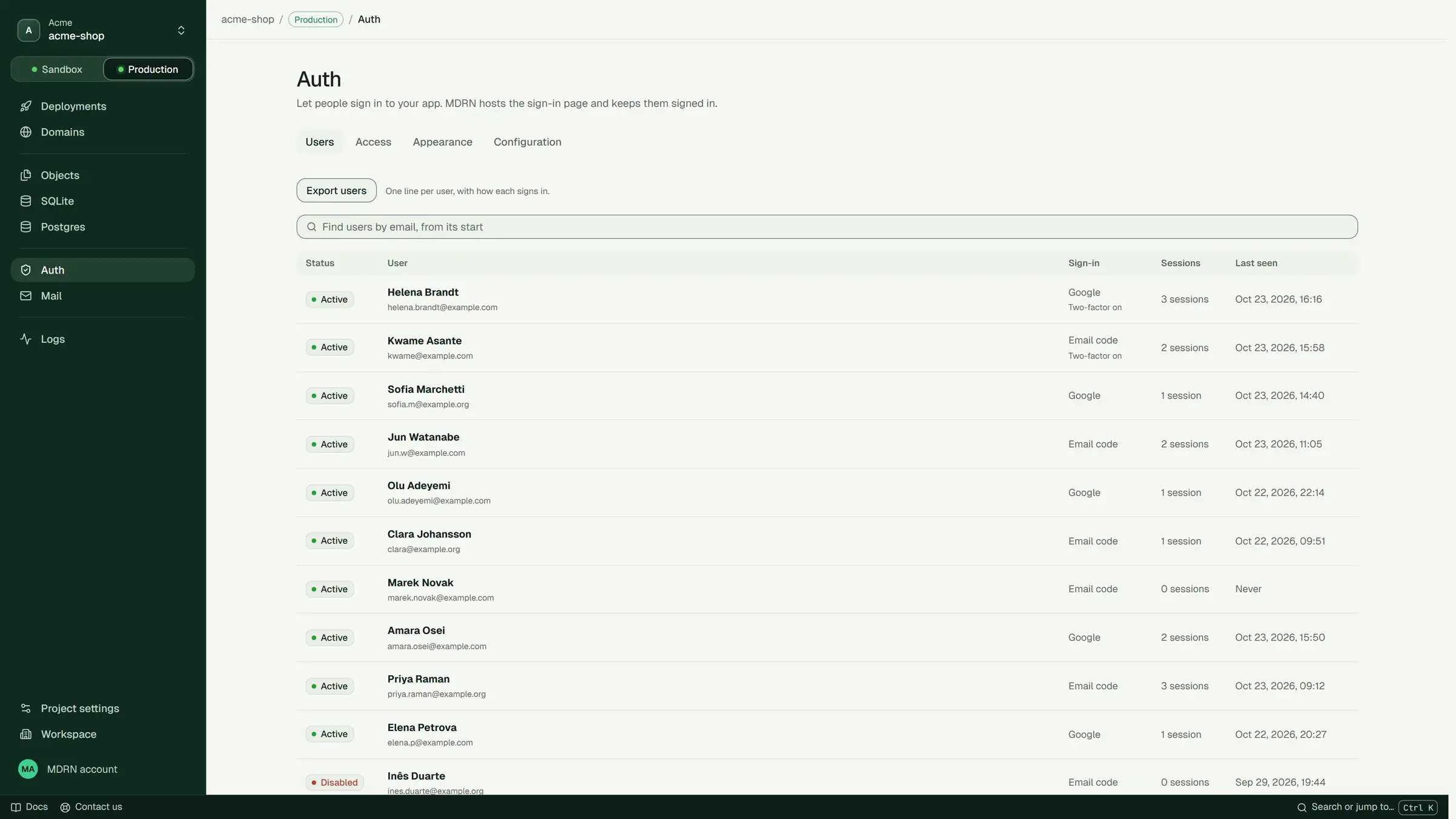
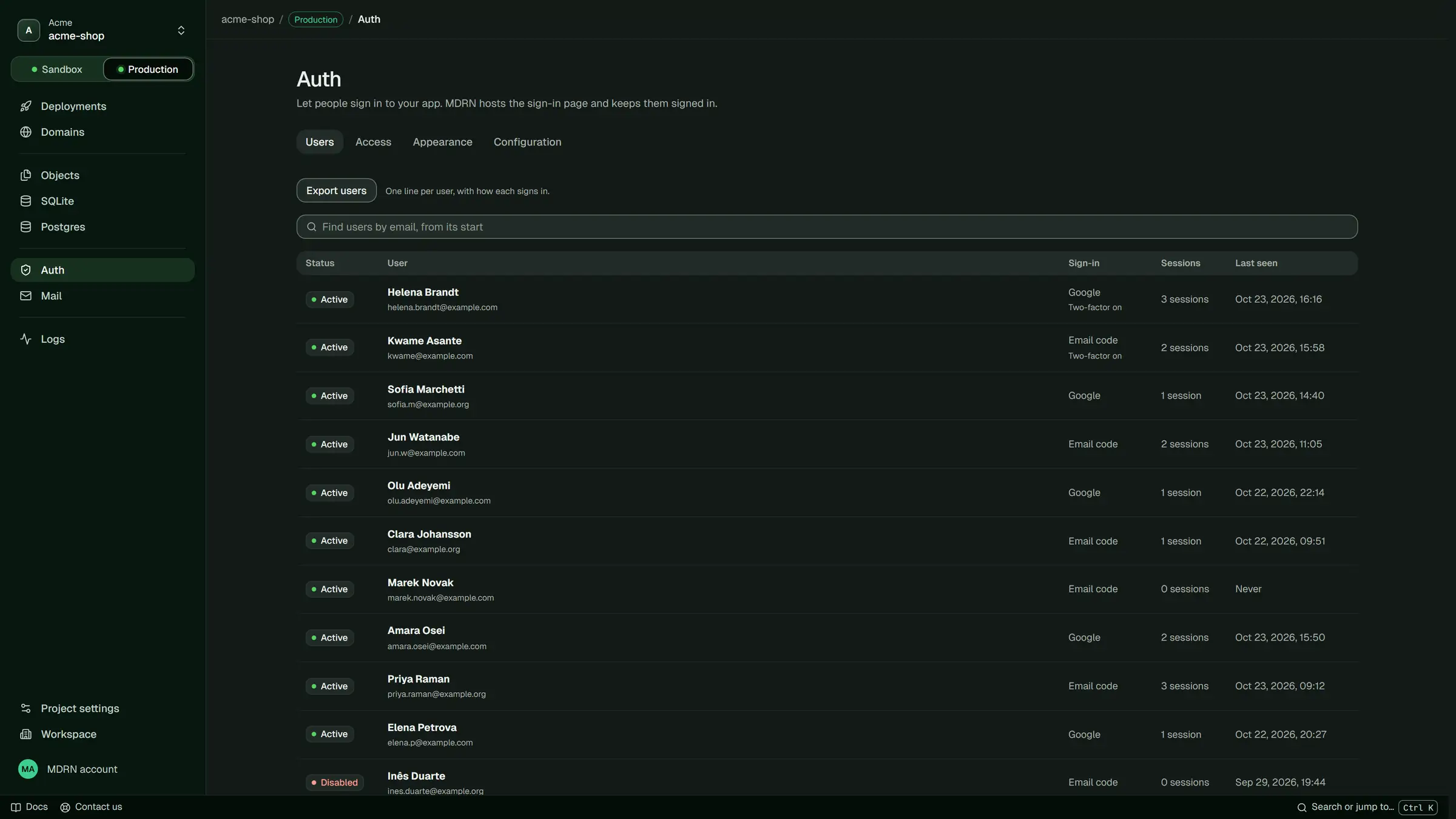
Users in the console.
Find a user, disable them, end every session they have, or delete them.
Your sign-in page, at your address.
MDRN serves the sign-in page at /login on your app’s own address, with your name, logo and colours. Once you go live, that is your own domain.
Questions.
Do I need Google or GitHub keys?
Not to start: email codes work out of the box. Google and GitHub sign-in stay off until you add your own keys from each of them.
Can I use my own sign-in page?
Yes. Set the login page to your own and your app answers that path; the sign-in methods, the account page and the sessions stay MDRN’s.
Can I take my users with me?
Yes. Export every user of an environment as one NDJSON file, with the ID each sign-in method knows them by. There are no passwords to export: nobody signs in with one.